
Oops, something went wrong!
The page you requested has moved or doesn’t exist.
If you followed a link, it might be broken – but don’t worry, we’re on it.
In the meantime, here are some helpful links:


Powering the next wave of distributed intelligence, our Edge AI solutions offer a comprehensive portfolio that scales across all edge tiers—from low-power inference to demanding large model inference. Every system is built as an AI integrated system, featuring GPU/accelerator-ready I/O for true plug-and-play deployment. This design is GenAI-ready, delivering optimized performance for vision AI, predictive analytics, and efficient on-device LLM inference.
Learn More
ADLINK Gaming provides global gaming machine manufacturers comprehensive solutions through our hardware, software, and display offerings. Uniquely combining computer expertise with a cutting-edge software stack and a deep understanding of the gaming industry’s requirements and regulations, we back up our customers so they can focus on creating the world’s best games.
Learn More
ADLINK is addressing the needs of healthcare digitization with a focus on medical visualization devices and medically-certified solutions. By leveraging PENTA's design and manufacturing capabilities in the medical field, ADLINK's healthcare solutions facilitate digital applications in diverse healthcare environments.
Learn More
Our Rugged by Design CompactPCI/CompactPCI Serial, computer-on-modules, industrial-grade system and panel computer product portfolio has been specifically selected for onboard ATO/DMI and wayside CTC/RBC/TSRS railway solutions. ADLINK’s exceptional flexibility in design and manufacturing has been utilized by top rail signaling providers worldwide.
Learn More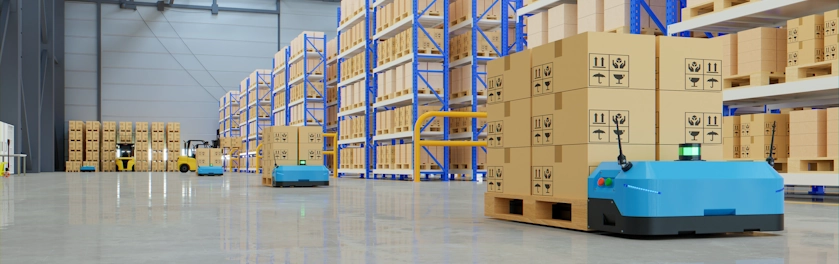
Autonomous Mobile Robots (AMRs) are able to carry out their jobs with zero to minimal oversight by human operators. Facilities such as schools, hospitals, shopping malls, and factories in particular can use a swarm of AMRs to improve operational efficiency and quality of life.
Learn More
Everything is essentially driven by chips, and to suit the needs of diverse applications, a perfect wafer manufacturing process is necessary to ensure everything from quality to efficiency and productivity.
Learn More
Fueled by edge computing, ADLINK smart manufacturing solutions guarantee faster data to decision results and create a more resilient and secured production environment for semiconductor and electronics manufacturing.
Learn MoreEmpower your edge computing with ADLINK, a leading company enabling edge solutions. Leverage AMD's high performance, secure integration, and power efficiency advantages for a wide range of edge, networking, and edge systems with x86 core architecture. Experience superior processing and graphics performance with ADLINK's utilization of AMD EPYC™ Server CPUs and Ryzen™ Embedded series, powered by EPYC™ 9004/9005 Series CPUs and Radeon™ RX, perfect for industrial, medical, automation and gaming applications.
Learn MoreExperience the future of edge computing with our comprehensive offering, which includes the Ampere Altra-based COM-HPC module, a developer platform and/or dev kit. Dive in now to unleash superior performance, energy efficiency, and optimized TCO in applications including but not limited to industrial automation, autonomous vehicles, transportation, healthcare, video surveillance, and energy management.
Learn MoreBased on Arm architecture, ADLINK also collaborates with Ampere, NXP, MediaTek, Qualcomm, and Rockchip in module computing development and value-added solutions across varied industries, including smart manufacturing, autonomous driving, robotics, AMR, drone, transportation, logistics, retail, infotainment, healthcare, security, and more.
With plug-and-play tools, development kits, and all-encompassing systems, ADLINK and Arm empower developers to accelerate and realize their innovations.
Learn MoreADLINK is a Prestige Partner of Intel® Partner Alliance. From modular computing to system-ready use cases, ADLINK collaborates closely with Intel to deliver scalable, interoperable solutions that accelerate the deployment of intelligent devices with end-to-end analytics.
ADLINK leverages Intel® AI Edge Systems to deliver scalable, high-performance AI at the edge. Built on proven, benchmarked edge computing platforms, these solutions integrate GPU and NPU acceleration with enterprise-ready manageability to optimize real-world AI workloads. With long lifecycle support, industrial-grade reliability, and best-in-class TCO, ADLINK and Intel enable faster time-to-market and seamless AI deployment across diverse edge environments.
Learn MoreADLINK Technology and MediaTek are strategic partners that deliver innovative and powerful solutions for edge computing and edge AI applications. Leveraging MediaTek's flagship, power-efficient Genio platform SoCs and ADLINK's expertise in embedded and rugged designs, they provide high-performance, energy-efficient, and reliable modules and platforms in accomplishing various IoT use cases, such as smart home, human-machine interface, multimedia, industrial IoT, and robotics.
Learn MoreTo fulfill industry-specific requirements, ADLINK is able to efficiently develop edge AI platforms, AI smart cameras, medical platforms, and AI portable GPU accelerators based on NVIDIA Jetson modules, the NVIDIA IGX platform, and RTX Embedded GPUs for applicable industries, including smart manufacturing, autonomous driving, autonomous mobile robots (AMR), robotics, transportation, healthcare, logistics, retail, infotainment, AI development, professional graphics, and gaming.
Learn MoreUtilizing NXP's i.MX 8 and i.MX 9 series technology, ADLINK offers edge-connected solutions to assist medical, test & measurement, automation, and smart city customers reduce TCO. This combination of NXP's technology with ADLINK's R&D experience in edge computing provides versatile and dynamic solutions for critical applications.
Learn MoreQualcomm Technologies’ portfolio of leading robotics and drones solutions is driving next-generation use cases, including autonomous deliveries, mission critical use cases, commercial and enterprise drone applications and more.
Among them, the Qualcomm QRB5165 solution is designed to help build consumer, enterprise or industrial robots with 5G connectivity, on-device AI and machine learning, superior computing, and intelligent sensing capabilities. By adopting Qualcomm QRB5165, ADLINK’s module will enable the proliferation of 5G in robotics and intelligent systems.
Learn More
Explore how experts are driving edge AI forward with real stories and practical insights.
VISIT NOW
No matter you need to get product pricing and availability or need assistance with technical support, we are here for you.
Learn More
Powering the next wave of distributed intelligence, our Edge AI solutions offer a comprehensive portfolio that scales across all edge tiers—from low-power inference to demanding large model inference. Every system is built as an AI integrated system, featuring GPU/accelerator-ready I/O for true plug-and-play deployment. This design is GenAI-ready, delivering optimized performance for vision AI, predictive analytics, and efficient on-device LLM inference.
Learn More
ADLINK Gaming provides global gaming machine manufacturers comprehensive solutions through our hardware, software, and display offerings. Uniquely combining computer expertise with a cutting-edge software stack and a deep understanding of the gaming industry’s requirements and regulations, we back up our customers so they can focus on creating the world’s best games.
Learn More
ADLINK is addressing the needs of healthcare digitization with a focus on medical visualization devices and medically-certified solutions. By leveraging PENTA's design and manufacturing capabilities in the medical field, ADLINK's healthcare solutions facilitate digital applications in diverse healthcare environments.
Learn More
Our Rugged by Design CompactPCI/CompactPCI Serial, computer-on-modules, industrial-grade system and panel computer product portfolio has been specifically selected for onboard ATO/DMI and wayside CTC/RBC/TSRS railway solutions. ADLINK’s exceptional flexibility in design and manufacturing has been utilized by top rail signaling providers worldwide.
Learn More
Autonomous Mobile Robots (AMRs) are able to carry out their jobs with zero to minimal oversight by human operators. Facilities such as schools, hospitals, shopping malls, and factories in particular can use a swarm of AMRs to improve operational efficiency and quality of life.
Learn More
Everything is essentially driven by chips, and to suit the needs of diverse applications, a perfect wafer manufacturing process is necessary to ensure everything from quality to efficiency and productivity.
Learn More
Fueled by edge computing, ADLINK smart manufacturing solutions guarantee faster data to decision results and create a more resilient and secured production environment for semiconductor and electronics manufacturing.
Learn MoreEmpower your edge computing with ADLINK, a leading company enabling edge solutions. Leverage AMD's high performance, secure integration, and power efficiency advantages for a wide range of edge, networking, and edge systems with x86 core architecture. Experience superior processing and graphics performance with ADLINK's utilization of AMD EPYC™ Server CPUs and Ryzen™ Embedded series, powered by EPYC™ 9004/9005 Series CPUs and Radeon™ RX, perfect for industrial, medical, automation and gaming applications.
Learn MoreExperience the future of edge computing with our comprehensive offering, which includes the Ampere Altra-based COM-HPC module, a developer platform and/or dev kit. Dive in now to unleash superior performance, energy efficiency, and optimized TCO in applications including but not limited to industrial automation, autonomous vehicles, transportation, healthcare, video surveillance, and energy management.
Learn MoreBased on Arm architecture, ADLINK also collaborates with Ampere, NXP, MediaTek, Qualcomm, and Rockchip in module computing development and value-added solutions across varied industries, including smart manufacturing, autonomous driving, robotics, AMR, drone, transportation, logistics, retail, infotainment, healthcare, security, and more.
With plug-and-play tools, development kits, and all-encompassing systems, ADLINK and Arm empower developers to accelerate and realize their innovations.
Learn MoreADLINK is a Prestige Partner of Intel® Partner Alliance. From modular computing to system-ready use cases, ADLINK collaborates closely with Intel to deliver scalable, interoperable solutions that accelerate the deployment of intelligent devices with end-to-end analytics.
ADLINK leverages Intel® AI Edge Systems to deliver scalable, high-performance AI at the edge. Built on proven, benchmarked edge computing platforms, these solutions integrate GPU and NPU acceleration with enterprise-ready manageability to optimize real-world AI workloads. With long lifecycle support, industrial-grade reliability, and best-in-class TCO, ADLINK and Intel enable faster time-to-market and seamless AI deployment across diverse edge environments.
Learn MoreADLINK Technology and MediaTek are strategic partners that deliver innovative and powerful solutions for edge computing and edge AI applications. Leveraging MediaTek's flagship, power-efficient Genio platform SoCs and ADLINK's expertise in embedded and rugged designs, they provide high-performance, energy-efficient, and reliable modules and platforms in accomplishing various IoT use cases, such as smart home, human-machine interface, multimedia, industrial IoT, and robotics.
Learn MoreTo fulfill industry-specific requirements, ADLINK is able to efficiently develop edge AI platforms, AI smart cameras, medical platforms, and AI portable GPU accelerators based on NVIDIA Jetson modules, the NVIDIA IGX platform, and RTX Embedded GPUs for applicable industries, including smart manufacturing, autonomous driving, autonomous mobile robots (AMR), robotics, transportation, healthcare, logistics, retail, infotainment, AI development, professional graphics, and gaming.
Learn MoreUtilizing NXP's i.MX 8 and i.MX 9 series technology, ADLINK offers edge-connected solutions to assist medical, test & measurement, automation, and smart city customers reduce TCO. This combination of NXP's technology with ADLINK's R&D experience in edge computing provides versatile and dynamic solutions for critical applications.
Learn MoreQualcomm Technologies’ portfolio of leading robotics and drones solutions is driving next-generation use cases, including autonomous deliveries, mission critical use cases, commercial and enterprise drone applications and more.
Among them, the Qualcomm QRB5165 solution is designed to help build consumer, enterprise or industrial robots with 5G connectivity, on-device AI and machine learning, superior computing, and intelligent sensing capabilities. By adopting Qualcomm QRB5165, ADLINK’s module will enable the proliferation of 5G in robotics and intelligent systems.
Learn More
Explore how experts are driving edge AI forward with real stories and practical insights.
VISIT NOW
No matter you need to get product pricing and availability or need assistance with technical support, we are here for you.
Learn More